How it works


Everything you need to run billing, stock and VAT or GST - explained in plain words, with the real screens.

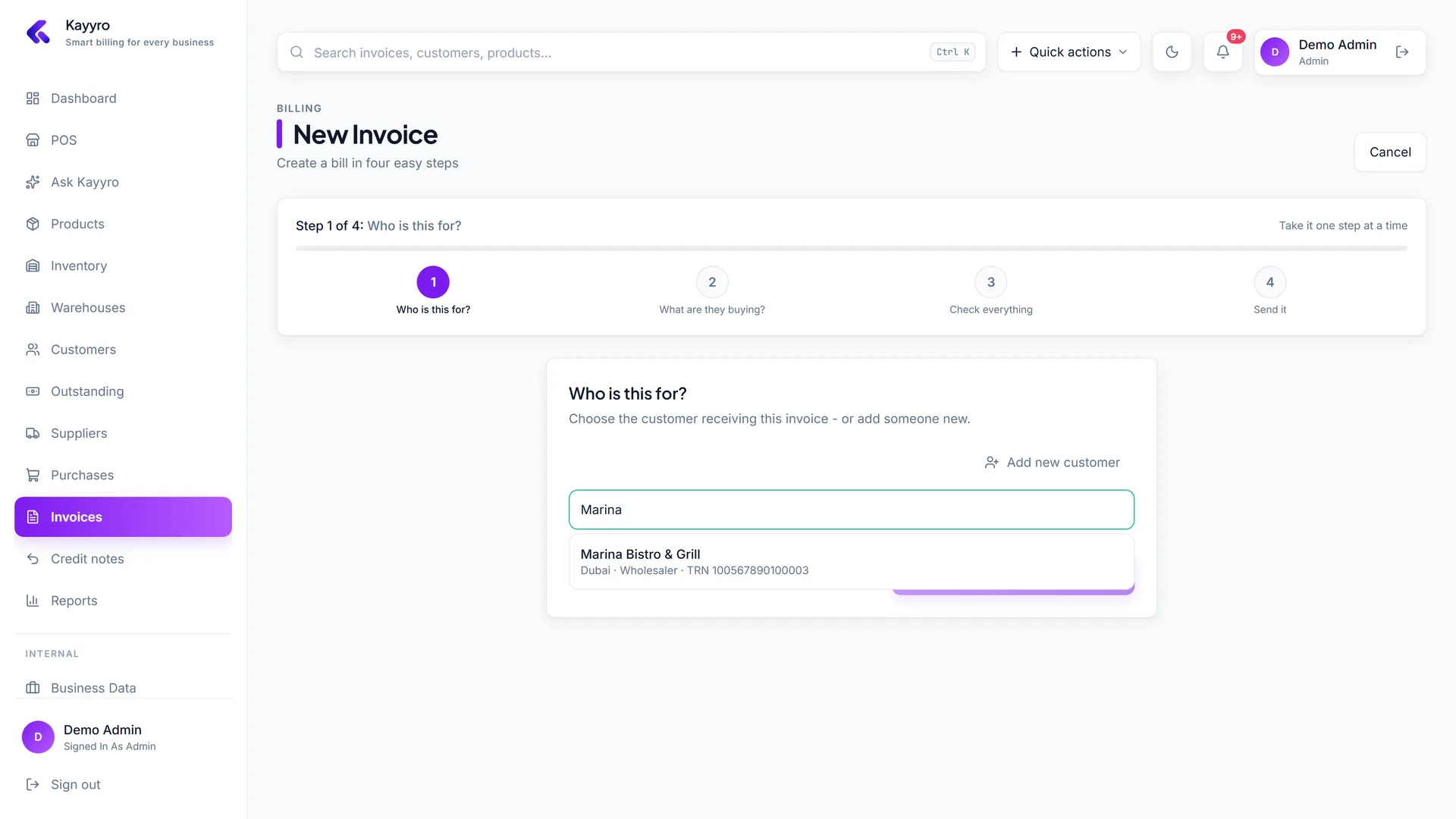
Your first invoice

kayyro / invoices / new · step 1
Who is it for?

01 · Day one

Set up your business

  • Sign up with your business name and pick your trade - 16 are built in, from fruit & vegetables to furniture.
  • Pick your country, then add your tax number (TRN, VAT number or GSTIN), address, bank details and signature once; they print on every invoice.
  • Choose whether your prices include VAT. You can still flip it on any single invoice.
kayyro / settings
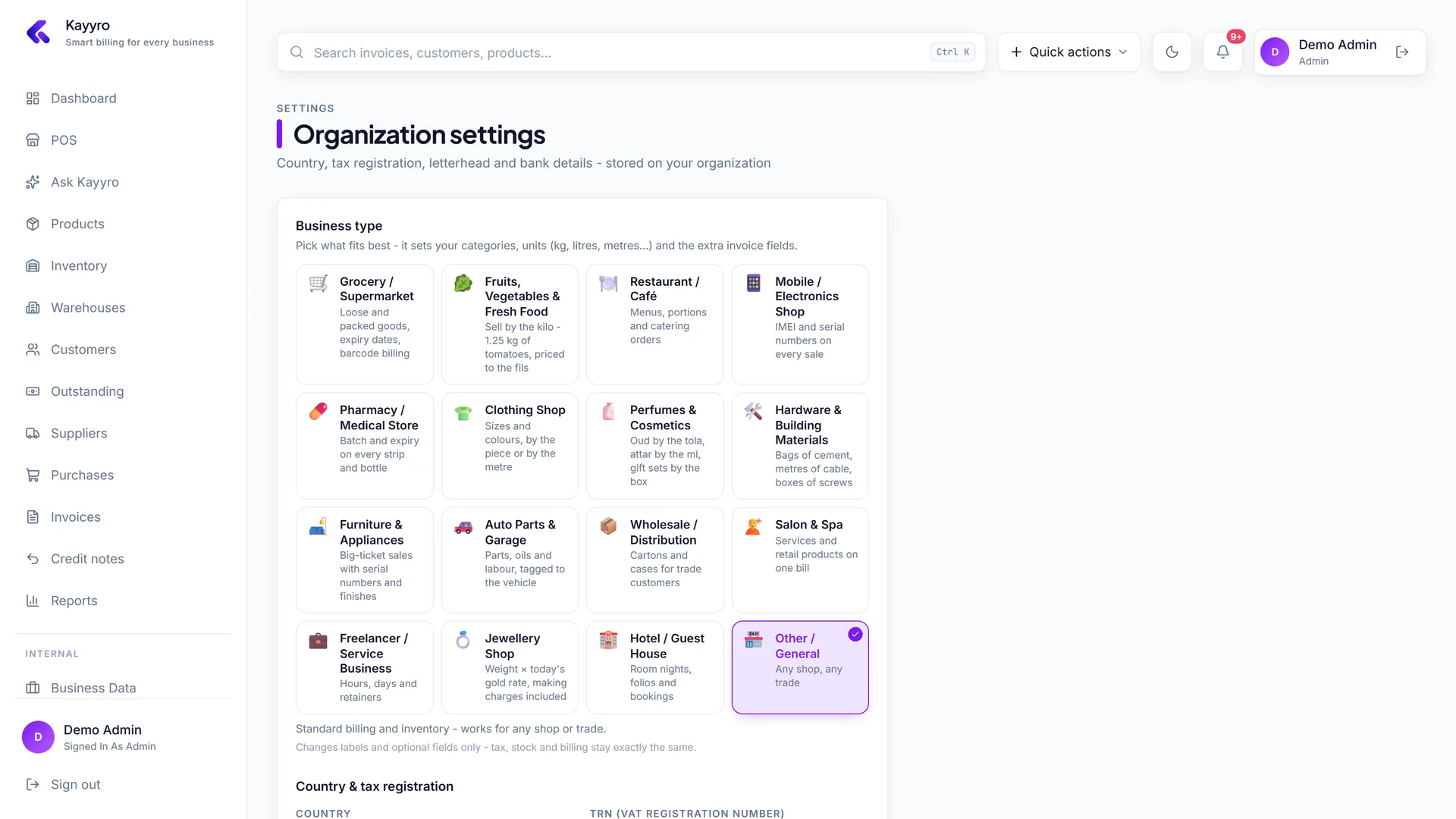
Set up your business - Kayyro screenshot

02 · Catalog

Add what you sell

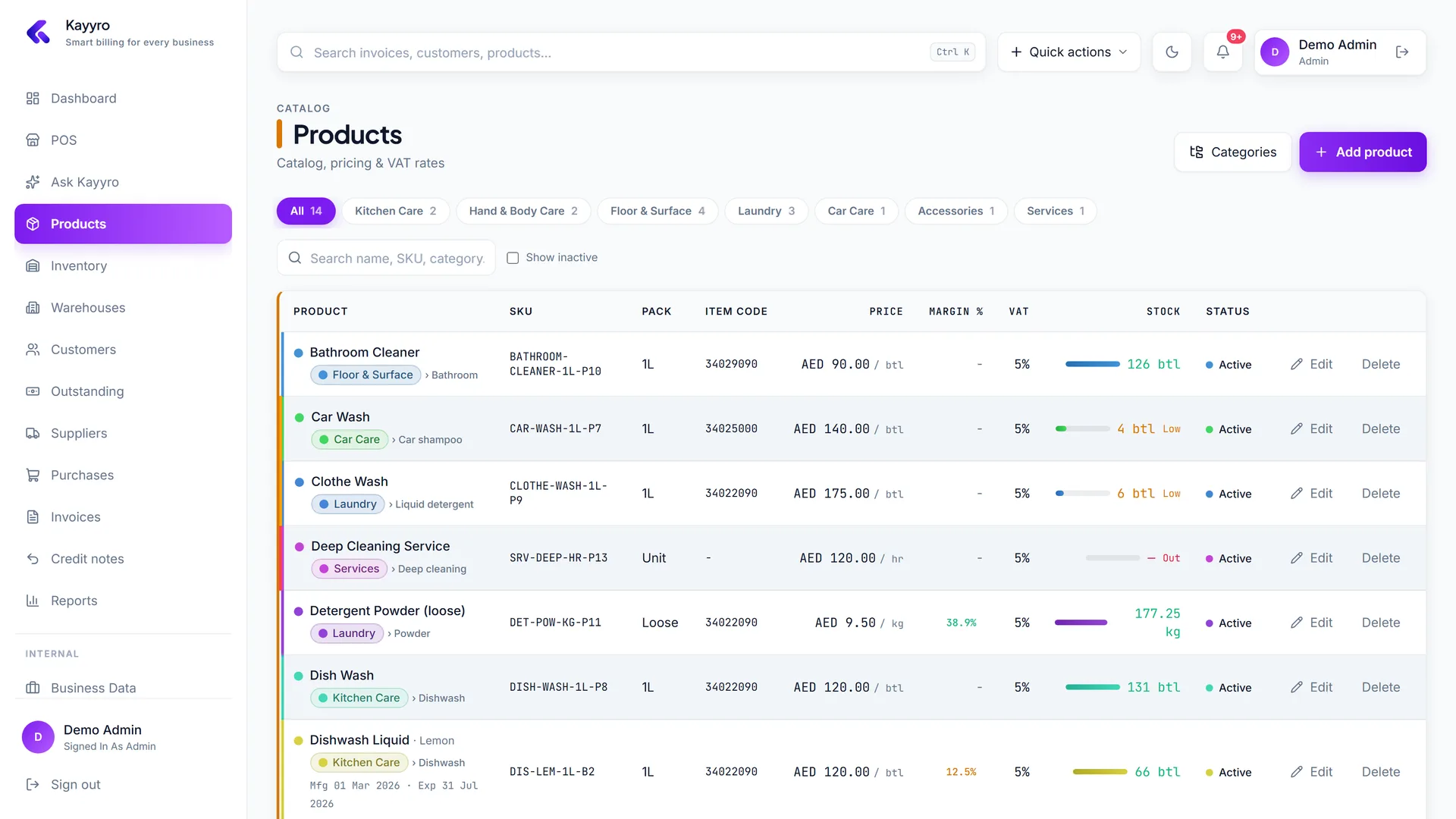
  • Group products into categories and subcategories - Vegetables › Leafy greens, Bedroom › Mattresses.
  • Choose how each item is sold: pieces, kg, grams, litres, metres, boxes, cartons, hours or nights.
  • Set a reorder level and Kayyro flags anything running low on the dashboard.
kayyro / products
Add what you sell - Kayyro screenshot

03 · Customers

Customers & credit

  • Save each customer's country, tax number, phone and email so invoices and reminders fill themselves in - customers abroad are reverse charged or zero-rated for you.
  • Record part payments; every customer gets a running ledger and balance.
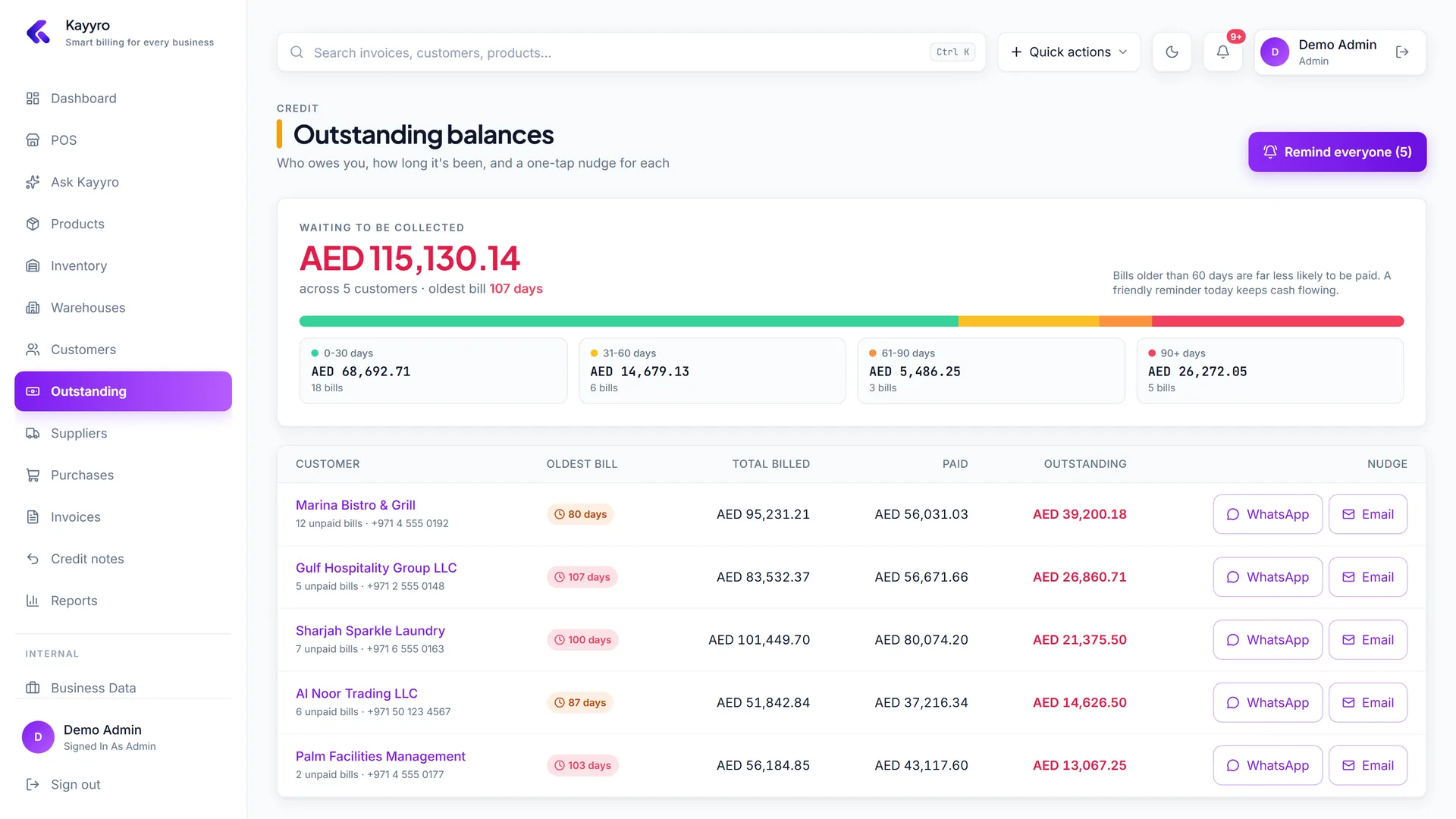
  • The Outstanding page sorts debts by age so you chase the oldest money first.
kayyro / outstanding
Customers & credit - Kayyro screenshot

04 · Get paid

Email, WhatsApp & reminders

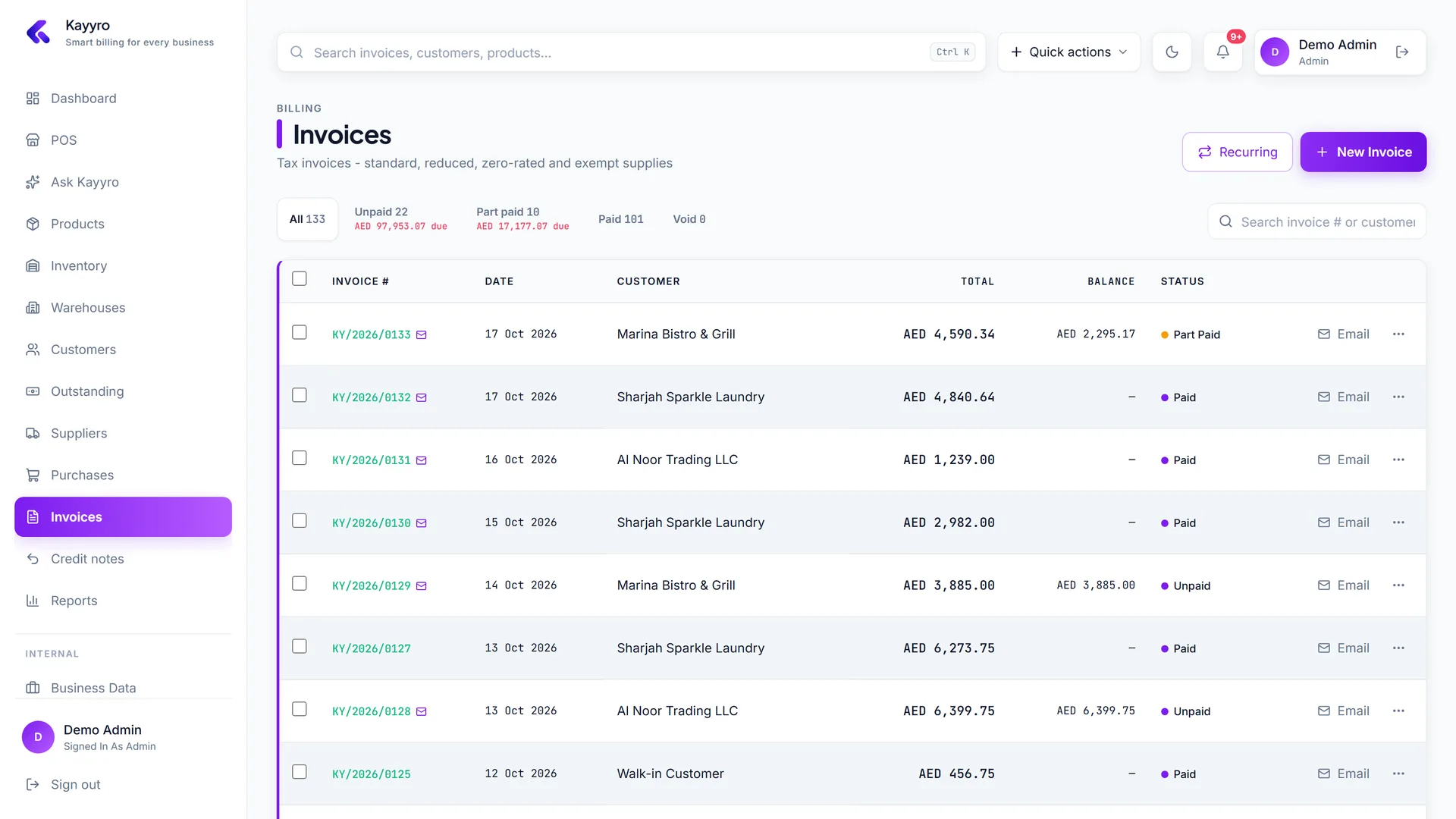
  • Email any invoice with the PDF attached, or select many and send them all at once.
  • Payment reminders go to every customer who owes you - one click, with their balance filled in.
  • Prefer chat? Share the PDF link on WhatsApp straight from the invoice.
kayyro / invoices
Email, WhatsApp & reminders - Kayyro screenshot

05 · Every morning

Your dashboard

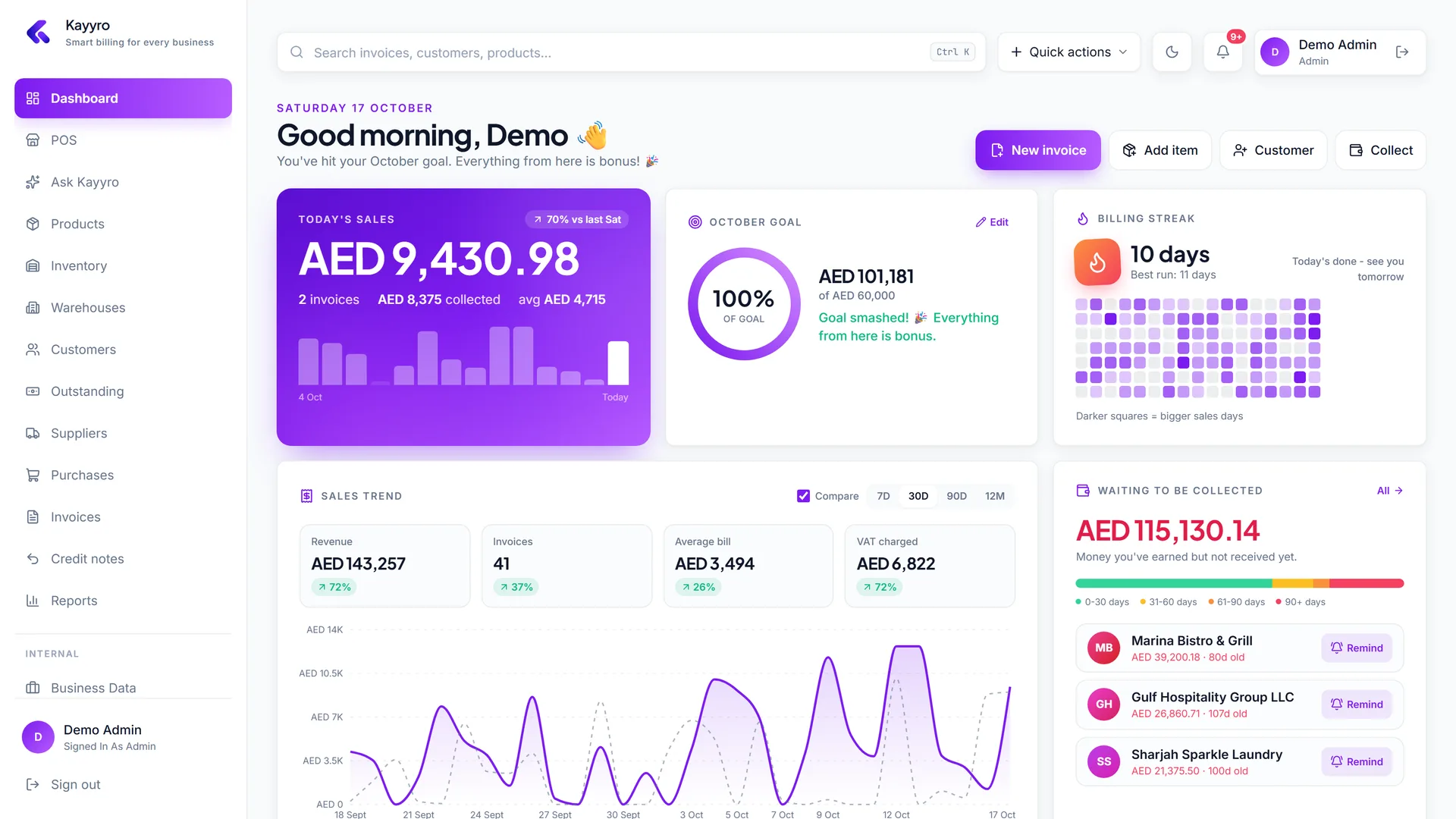
  • Today's sales against last week, a monthly goal ring and your billing streak keep momentum visible.
  • See money waiting to be collected, best sellers, top customers and stock that needs attention.
  • A VAT set-aside estimate for the quarter so filing day is never a surprise.
kayyro / dashboard
Your dashboard - Kayyro screenshot

06 · Compliance

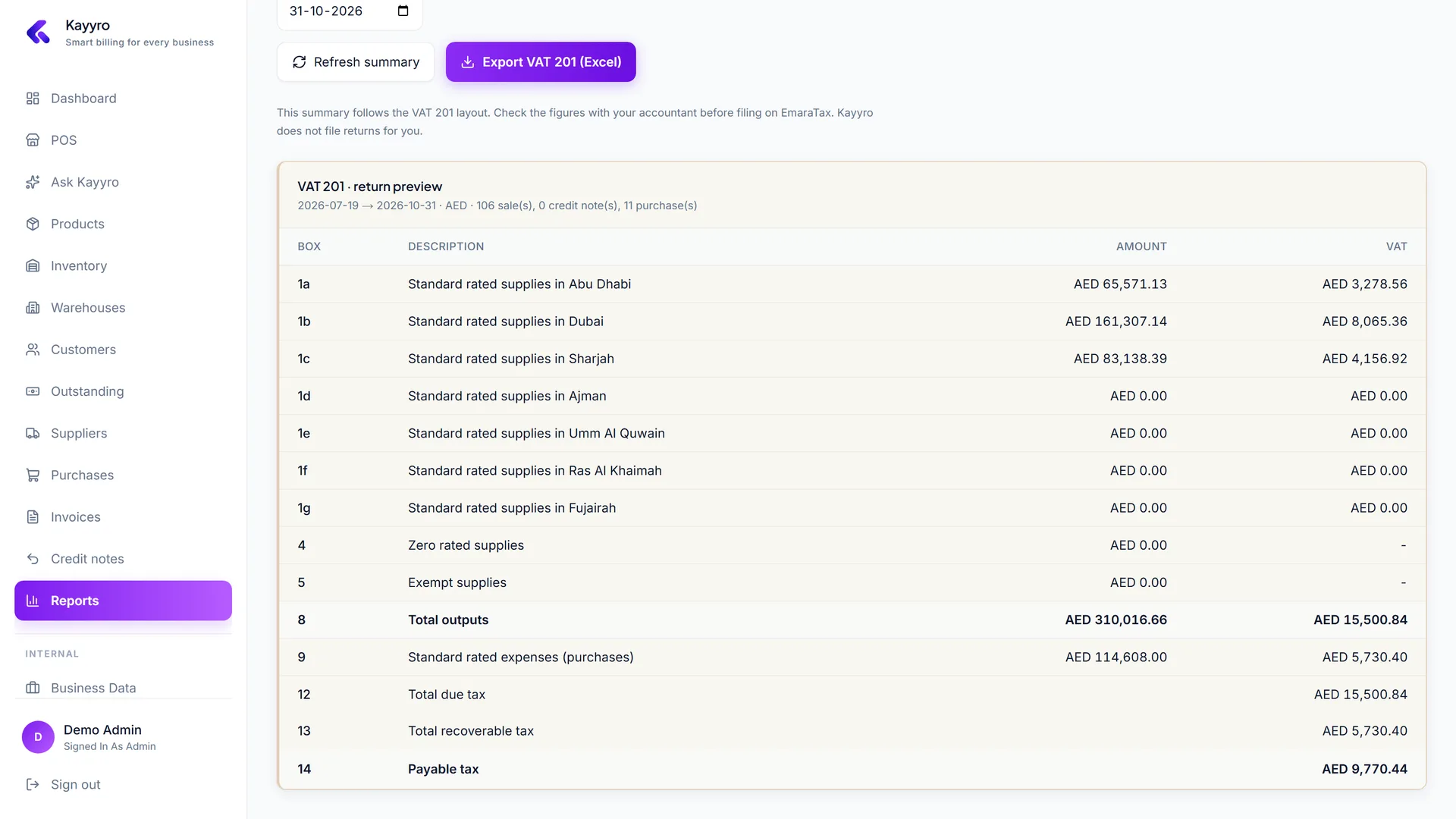
VAT & GST returns

  • Your return in your country's layout: UAE VAT 201 by emirate, Saudi VAT return, UK 9-box, India GSTR-3B with IGST / CGST / SGST, or output and input VAT for the rest.
  • Export the workbook to Excel for your accountant, along with sales and purchase registers.
  • Credit notes and zero-rated or exempt supplies are handled in their own boxes.
kayyro / reports / vat 201
VAT & GST returns - Kayyro screenshot

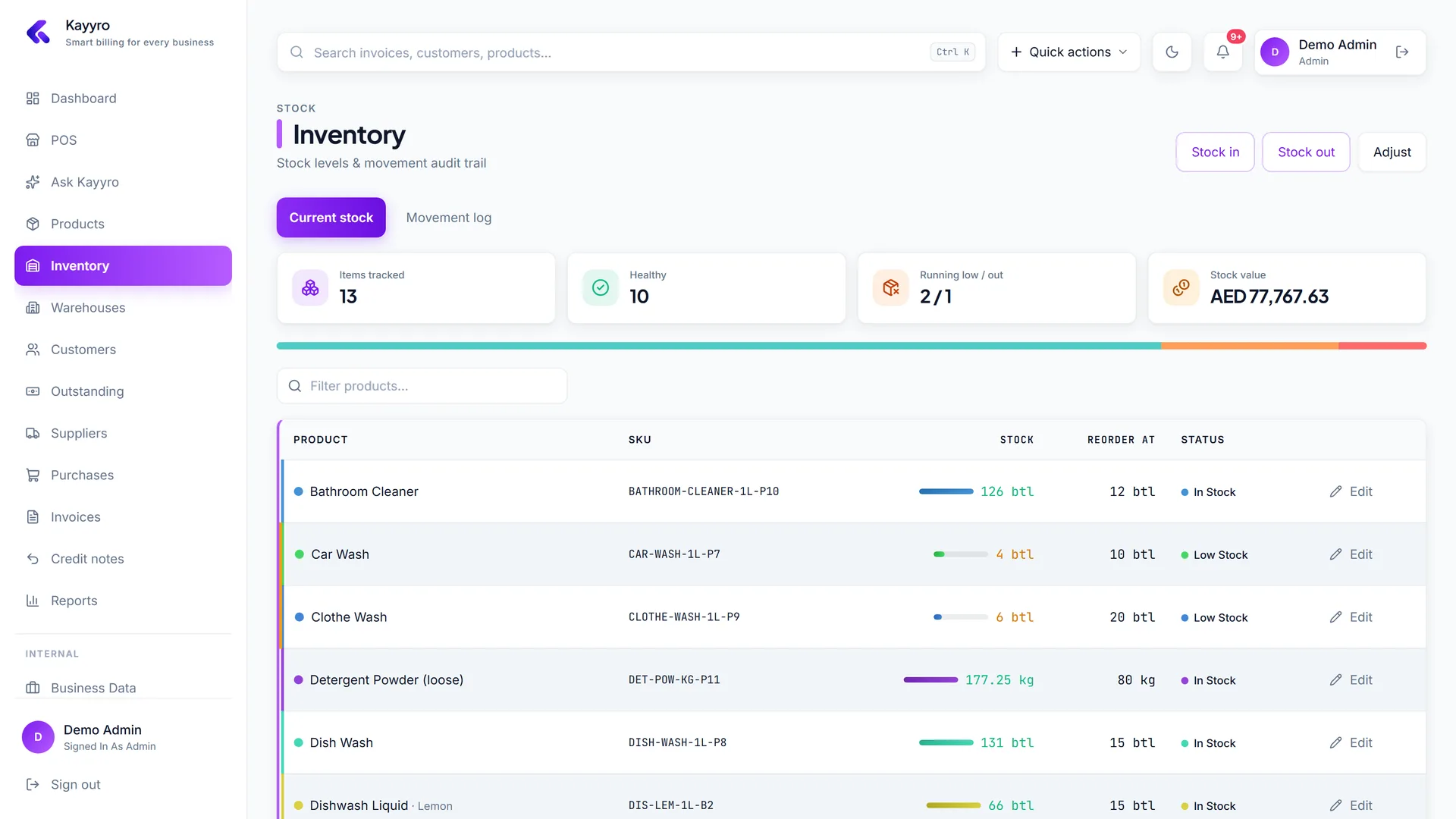
07 · Stock

Inventory that moves itself

  • Every invoice deducts stock and every purchase adds it - including decimals for weights and lengths.
  • Stock in, stock out and counted adjustments are kept in a full audit trail.
  • Multiple warehouses on the Business plan.
kayyro / inventory
Inventory that moves itself - Kayyro screenshot

Little things that save hours

Ctrl + K to find anything

Jump to any invoice, customer, product or page from the search bar.

Tap to add

On a new invoice, tap catalog tiles - tap again to add one more.

Scan barcodes

A USB or Bluetooth scanner works out of the box on the invoice screen.

Prices include VAT?

One switch decides whether VAT is added on top or worked out of your price.

Decimals where they belong

Kilos, litres and metres take decimals; pieces and boxes stay whole.

Press / to search

Hands on the keyboard? “/” focuses the search box on every page.


Start your 14-day free trial on Kayyro. No card required. Add your products and send your first VAT tax invoice this week.